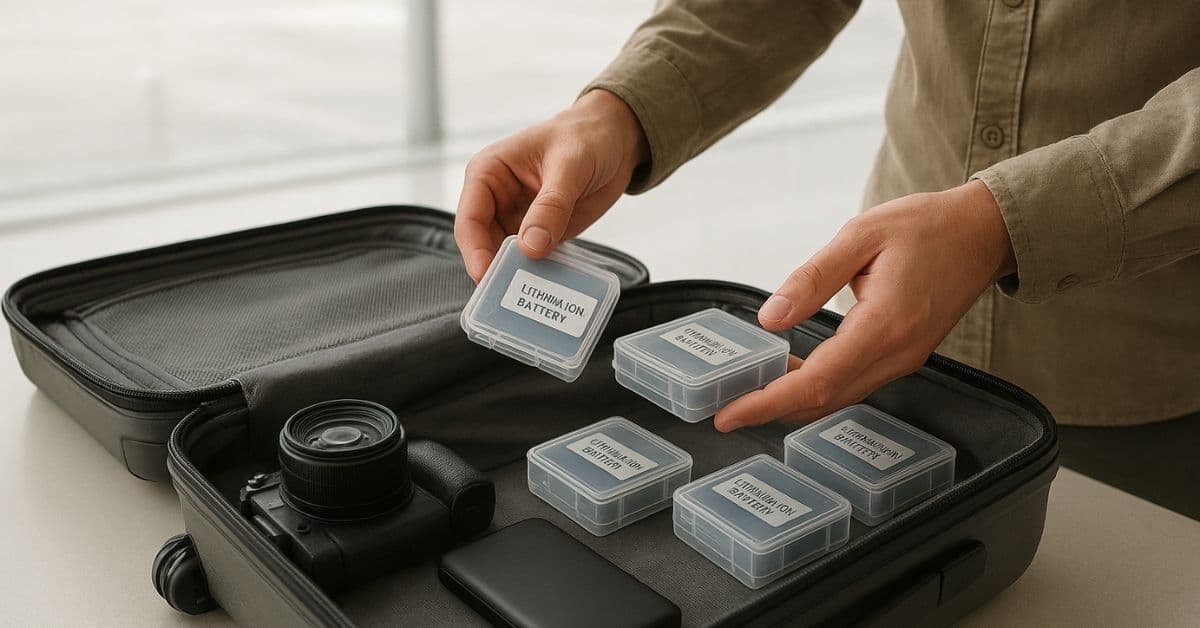
If you travel by plane, you likely have a phone, a laptop, or a power bank. All of these use lithium batteries. These batteries are great because they hold a lot of power. However, they can also be a little dangerous on an airplane.
Flying with lithium batteries is easy once you learn the simple rules. The main reason for these rules is safety. If a lithium battery is damaged or packed incorrectly, it can get very hot and even catch fire. Most problems happen because of poor packing, not the flight itself.
You must follow the rules from the TSA and the FAA to keep everyone safe. The most important rule to remember is this: Always put spare lithium batteries and power banks in your carry-on bag. You should never put them in your checked luggage.
What Types of Lithium Batteries Need Special Packing?
Not all batteries are the same. The rules change based on the type of battery and how much power it holds. You need to know about the three main types of batteries when you travel.
1. Lithium-Ion Batteries (Rechargeable)
These are the most common batteries. They are inside your phone, laptop, camera, and drone.
- Small Batteries (100 Watt-hours or less): These are the easy ones. Most everyday devices, like phones and small power banks, have batteries this size. You can bring as many as you need for your own use.
- Medium Batteries (101–160 Watt-hours): These are usually for larger applications, such as professional camera gear or large drone batteries. You can only bring two of these per person. You must get permission from your airline first.
2. Lithium-Metal Batteries (Non-Rechargeable)
People use these batteries once and then throw them away. They are often in watches or some medical devices. The rule for these depends on how much lithium metal they have. The metal must be 2 grams or less.
3. Power Banks and Portable Chargers
Your power bank is just like a spare battery. It must follow the same rules as the lithium-ion batteries above. Power banks are the number one cause of problems at the airport, so pay close attention to how you pack them.
| Battery Type | Common Examples | Where to Pack | Size Limit |
|---|---|---|---|
| Lithium-Ion (≤100 Wh) | Carry-on or installed in the device | Carry-on only or installed in the device | No limit for personal use |
| Lithium-Ion (101–160 Wh) | Large drone batteries, professional camera batteries | Carry-on only | Max 2 spare batteries per person (airline approval required) |
| Lithium-Metal (≤2 g lithium) | Watch batteries, small medical devices | Carry-on or installed in device | No limit for personal use |
How to Pack Lithium Batteries Properly: A Step-by-Step Guide
This is the most important part of keeping your flight safe. Follow these simple steps to pack your batteries properly.
Step 1: Protect Terminals from Short Circuit
A short circuit occurs when the metal ends (terminals) of a battery touch another piece of metal, such as a coin, a key, or another battery. This can cause the battery to heat up and start a fire.
How to Protect the Terminals:
- Tape the Ends: Use clear packing tape or electrical tape to cover the metal ends of the battery.
- Use Caps: If the battery came with plastic caps to cover the ends, use them!
- Keep Original Packaging: If you still have the box the battery came in, use it for travel.
- Use Separate Bags: Put each spare battery in its own small plastic bag or zip bag.
What Not to Do: Never let loose batteries roll around in your bag pockets. They can touch metal objects there.
Step 2: Use Protective Cases
After protecting the terminals, place the batteries in a case for added safety.
- Hard Cases: Use hard plastic cases for camera or drone batteries. These cases are made to keep the batteries safe from bumps and pressure.
- Soft Sleeves: Power banks can be put in a soft sleeve or a padded case.
- DIY Option: If you do not have a special case, you can use a small, padded bag. You can also wrap the battery in a thick cloth after taping the terminals.
Step 3: Keep Each Battery in Its Own Bag or Case
It is best to keep your spare batteries separate. Do not stack them all together in one big pile. If batteries touch each other, they can sometimes create heat, which is dangerous. Give each one its own safe space.
Step 4: Place Batteries in an Easy-to-Reach Part of Carry-On
The TSA agent might ask to look at your batteries when you go through security. If they are buried deep inside your bag, it will slow you down. Please keep them in a side pocket or a small bag on top of your clothes so they are easy to pull out.
Step 5: Label High-Capacity Batteries (101–160 Wh)
If you have those bigger 101–160 Wh batteries, you must be ready to show the airline and TSA what you have.
- Know Your Numbers: The Watt-hour (Wh) rating is usually printed on the battery.
- Take a Picture: Take a picture of the battery label with your phone.
- Print It Out: You can even print out the battery details and keep them with the battery. This makes it easy to prove the battery is within the allowed size limit.
Packing Power Banks Safely
Power banks are a traveler’s best friend. However, they are also the most common items that get taken away at the airport.
- Carry-On Only: Just like all spare batteries, your power bank must be in your carry-on bag.
- Protect the Button: Some power banks can turn on by accident if something pushes the power button. You can put a small piece of tape over the power button to keep it from turning on inside your bag.
- No Cables Inserted: Do not pack your power bank with a charging cable plugged into it. This can cause it to start charging or discharging, which creates heat.
- Check the Size: Most power banks are under 100 Wh. If yours is bigger, you must follow the rules for medium batteries (101–160 Wh) and get airline approval.
How to Pack Batteries Installed in Devices
What about the batteries that are already inside your laptop, camera, or electric toothbrush?
- Turn the Device OFF: Do not just put your laptop to “sleep.” You must completely turn off the device before packing it. This prevents the battery from accidentally overheating.
- Protect the Device: Pack the device so nothing heavy can press on it and damage the battery.
- Remove If Possible: If your camera or drone has a battery that is easy to take out, it is safer to remove it and pack it separately using the steps above.
- Check Accessories: Make sure no memory cards or other accessories are left in a way that could accidentally turn the device on.
What Not to Pack (Mistakes to Avoid)
Knowing what not to do is just as important as knowing what to do. Avoid these common mistakes to have a smooth trip.
- Loose Batteries: Never put loose batteries in your pockets, backpack, or purse. They will come into contact with metal objects, which can cause a short circuit.
- Damaged Batteries: If a battery looks swollen, cracked, or is leaking, do not pack it. It is a fire risk and will be taken away by the TSA.
- Wet Batteries: If a battery has gotten wet, do not try to travel with it.
- Charging in the Bag: Never charge a device or power bank while it is inside your bag. This traps the heat and can cause a fire.
- Cheap Batteries: Be careful with very affordable, unbranded batteries. They may not have the safety features of a quality battery and are more likely to fail.
Airline-Specific Packing Notes
The TSA and FAA set the main rules, but some airlines have additional restrictions. It is always a good idea to check your airline’s website before you fly.
- Some airlines limit the total number of batteries you can bring, even if they are small.
- If you are flying to countries like China, Japan, or Korea, their security checks for batteries can be very strict.
- Some airlines may require you to tape the terminals of all spare batteries, even if they are in a case.
- If you have a large drone battery (over 100 Wh), you must get approval from the airline before you arrive at the airport.
Tips for Photographers, Drone Pilots & Travelers
If you travel often with a lot of gear, these tips will help you stay organized and safe.
- Carry Your Specs: Keep a small card or a picture on your phone with the Watt-hour (Wh) rating for all your large batteries. This makes it easy to show the TSA agent.
- Use Fireproof Bags: A LiPo bag is a special fireproof bag. While the TSA does not require you to use them, they are an excellent idea for drone batteries or any high-power spare batteries. They add an extra layer of safety.
- Travel at 30–50% Charge: Experts suggest keeping your batteries at a low charge (around 30%- 50%) when you travel. This makes them safer because a fully charged battery has more energy to release if something goes wrong.
- Mark Your Spares: Use a small sticker or marker to label your spare batteries as “Charged” or “Empty.” This helps you keep track and ensures you do not accidentally pack a damaged one.
Should You Use a Fireproof LiPo Bag?
Many people ask if they need a special fireproof bag, often called a LiPo bag.
- The Pros: These bags are made to slow down or stop a fire if a battery overheats. They are highly recommended for drone pilots and anyone with high-power batteries, as they provide significant extra protection.
- The Cons: The TSA and FAA do not officially require you to use them. You can still fly safely without one, as long as you follow all the other packing rules. Think of it as a cheap way to buy peace of mind.
Travel Checklist (Quick & Simple)
Use this quick list before you leave for the airport to make sure your batteries are packed safely.
- Terminals Taped: The metal ends of all spare batteries are covered with tape or a cap.
- Cases Used: Each spare battery is in its own protective case or bag.
- Only in Carry-On: All spare batteries and power banks are in your carry-on bag, not your checked luggage.
- Device Turned Off: All devices with batteries inside are completely turned off, not just sleeping.
- Wh Rating Checked: You know the Watt-hour rating of your batteries, especially the large ones.
- No Damage: All batteries are free of cracks, swelling, or leaks.
Conclusion
Packing lithium batteries safely is easy when you follow the rules. Keep all spare batteries in your carry-on, protect the terminals, and use cases. These small steps keep you, your things, and the whole plane safe.
FAQs
Q: Can I pack lithium batteries in checked luggage?
No. All spare lithium batteries and power banks must be in your carry-on bag. This is so the flight crew can quickly address any issue if a battery overheats.
How many lithium batteries can I carry on a plane?
You can bring as many small batteries (100 Wh or less) as you need for personal use. You are limited to only two medium-sized batteries (101–160 Wh) per person, and you need the airline’s approval first.
Should I tape lithium battery terminals?
Yes, you must protect the metal ends (terminals) of all spare batteries. Taping them is the easiest way to stop them from touching other metal objects and causing a dangerous short circuit.
What happens if TSA finds a battery in my checked bag?
The TSA will open your bag to remove the battery. This will slow down your luggage. You might not get your bag when you land. In some cases, the battery may be taken away.
Do lithium batteries need special packaging?
They need protection, but not always special packaging. You must protect the terminals and keep them safe from damage. A simple plastic bag with taped terminals is often enough, but a hard case is better.
Can I use my power bank on the plane?
Yes, most airlines let you use your power bank to charge small devices like your phone during the flight. However, you cannot charge the power bank itself while you are on the plane.
How do I know the battery’s watt-hour (Wh) capacity?
The Watt-hour (Wh) number is usually printed right on the battery. If you cannot find it, multiply the Volts (V) by the milliamp-hours (mAh), then divide by 1,000.