
Why Is My EV Not Charging at Full Speed?

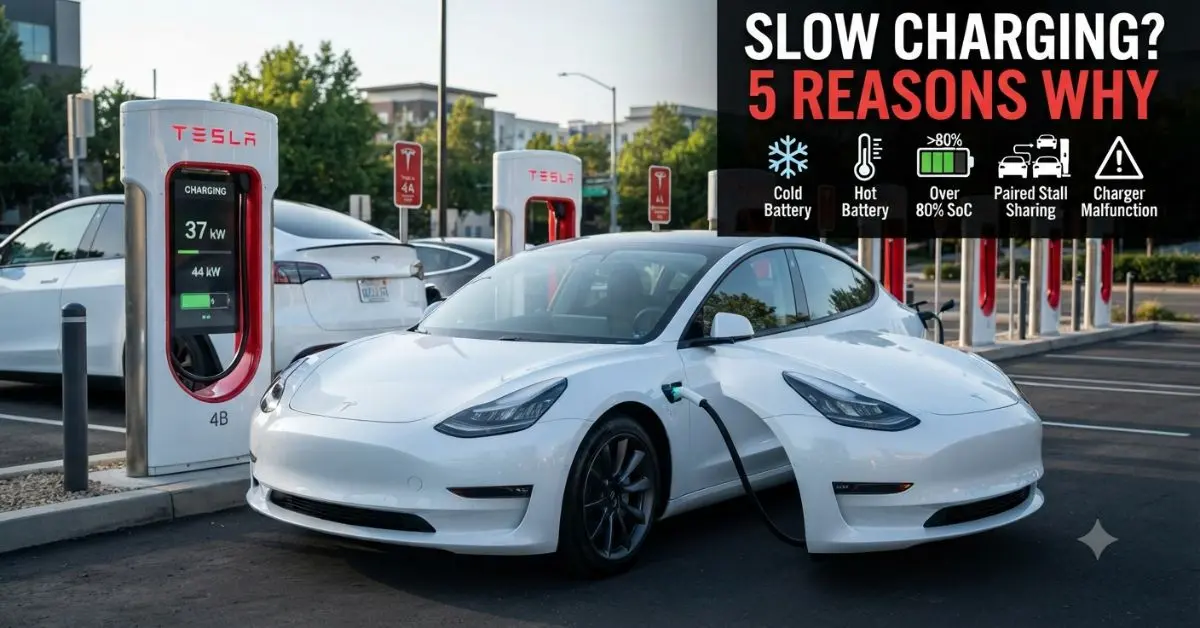
If your EV is not charging at its rated maximum speed, the most common reasons are a cold battery without preconditioning, a charger that is slower than your car’s maximum rate, battery state of charge above 80%, or a software or hardware issue with either the car or the charger. Most slow-charging problems are easy to diagnose and fix. This guide walks through every cause of reduced EV charging speed and what to do about each one.
Common Causes of Slow EV Charging
| Cause | Impact | Solution |
|---|---|---|
| Cold battery (below 59°F/15°C) | DC fast rate drops 40–80% | Precondition via car navigation before DC charging |
| Hot battery (above 104°F/40°C) | DC fast rate reduced by BMS | Let car cool; park in shade; activate cooling remotely |
| Charger power below car’s max rate | Limited to charger’s output | Find higher-power charger; nothing else to do |
| Battery SoC above 80% | Charging intentionally slows | Normal — do not DC fast charge above 80% |
| Power split with another car (paired stall) | Speed halved at V1/V2 stations | Move to unpaired stall; use V3 station |
| Charger malfunction | Slow or stops entirely | Unplug and try another stall; contact network support |
| Car software update needed | Suboptimal charging algorithm | Install latest OTA update; some updates improve charge speed |
| AC onboard charger limit | Level 2 capped at car’s max | Cannot exceed car’s onboard charger — nothing to change |
Cold Battery: The Most Common Cause
A cold battery is the single most common reason for unexpectedly slow DC fast charging. Lithium-ion cells charge slowly when cold — the electrolyte becomes more viscous and lithium ion movement slows, reducing the maximum safe charge rate. In temperatures below 32°F (0°C), some EVs reduce DC charging to as little as 25–50 kW even if the car’s rated maximum is 250 kW. The solution is battery preconditioning — routing to a DC fast charger through your car’s navigation system, which automatically warms the battery to the optimal charging temperature before you arrive. This single habit can triple your charging speed in cold weather.
Paired Stall Power Sharing: The Hidden Speed Reducer
Older Tesla Supercharger V1 and V2 stations — and some other networks — pair stalls so that two adjacent stalls share a power cabinet. If you plug into one stall of a paired set and another car is already in the adjacent stall, both cars receive approximately half the full power. At a V2 station rated for 150 kW per pair, you and your neighbour each receive approximately 75 kW — not the full 150 kW. Moving to an unpaired stall (check the charger’s display for stall numbering — odd/even pairs) or waiting for the adjacent car to finish eliminates this issue. V3 Superchargers and most modern DC fast chargers eliminate stall pairing entirely.
Above 80% SoC: Intentionally Slow
DC fast charging above 80% state of charge is intentionally limited by the Battery Management System — this is normal, not a malfunction. Above 80%, the BMS reduces incoming power to prevent lithium plating and overheating in cells that are nearly full. The rate reduction is significant — going from 80% to 100% often takes as long as the entire 10–80% session. For road trips, stop at 80% and continue driving — multiple 10–80% stops are faster than waiting for 100% at each charging station.
Level 2 Charging Not at Full Speed
If your Level 2 home charger is not delivering its rated power, check several things. The wallbox’s amperage setting must match or be lower than your home circuit’s breaker — a 48A charger on a 40A circuit will reduce to 40A. Your car’s onboard charger sets the absolute maximum — a wallbox delivering 11.5 kW to a car with a 7.2 kW onboard charger always results in 7.2 kW, not 11.5 kW. Check the wallbox’s app to confirm the delivered power per session — this confirms whether the issue is the charger, the circuit, or the car’s own limit.
Steps to Diagnose Slow Charging
- Check the kW display: Your EV’s dashboard or the charger screen shows actual kW being delivered — compare this to your car’s rated maximum for that charger type
- Note the battery temperature: If your EV has a battery temperature display, check it before charging — below 50°F (10°C) significantly reduces DC charging speed
- Try another stall: If at a multi-stall DC fast station and speed is low, try a different stall — the issue may be a specific stall cabinet malfunction rather than the car
- Check your car’s app: Tesla, Hyundai BlueLink, Kia Connect, and most OEM apps show charging speed in real time — confirm the kW figure vs your car’s rated max
- Update software: Ensure your EV has the latest OTA software update — some updates specifically improve charging curve performance
Conclusion
Slow EV charging is almost always caused by one of five things: cold battery without preconditioning, a charger slower than your car’s maximum rate, SoC above 80%, stall pairing at older stations, or a charger malfunction. Cold battery and preconditioning account for the majority of real-world cases — using your car’s navigation to route to a DC charger before you arrive is the single most effective fix for consistently achieving rated charging speeds. For Level 2 home charging speed issues, match your charger’s amperage to your circuit and compare it to your car’s onboard charger limit to diagnose the bottleneck.
